AnyDesk Remote Desktop
Business- Category Business
- Size 20.54 MB
- Requirements Android 4.4 and up
- Downloads 980,000,000+
- Package Name com.anydesk.anydeskandroid
- Content Rating Everyone
About AnyDesk Remote Desktop Feature
AnyDesk Remote Desktop is a powerful and secure remote access software solution that enables users to connect to and control computers or devices from anywhere in the world. It is designed for individuals and businesses seeking a reliable, high-performance tool for remote work, IT support, and online collaboration. With its lightweight design and cross-platform compatibility, AnyDesk facilitates seamless connections across Windows, macOS, Linux, iOS, and Android, ensuring productivity is unhindered by physical location.
Chapter 1: Function
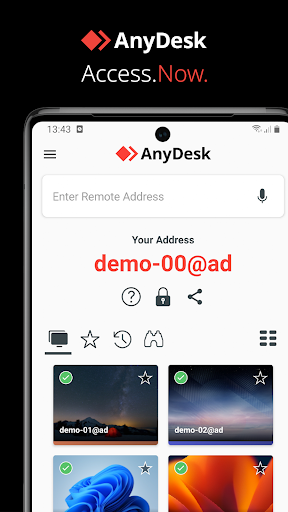
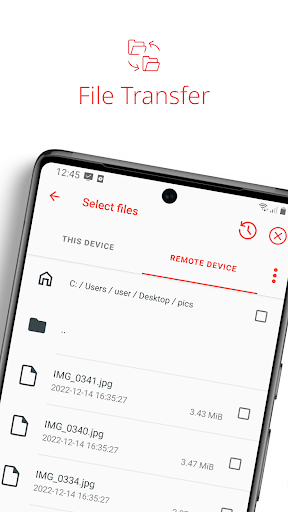
AnyDesk provides core remote desktop functionalities that allow users to access and operate a remote computer as if they were sitting in front of it. Its primary features include establishing a secure remote connection, real-time desktop control, and file transfer between the local and remote machines. The app supports unattended access, enabling connections to devices without needing someone to grant permission on the other end. It also offers session recording, remote printing, and a virtual private network (VPN) feature for secure tunneling. The interface is designed for simplicity, allowing users to connect quickly by exchanging a unique address. High-performance capabilities ensure low latency and smooth interaction, even with demanding applications or over limited bandwidth, making it ideal for technical support and remote work.
Chapter 2: Value
The value proposition of AnyDesk lies in its exceptional combination of security, speed, and versatility, offering significant advantages over basic remote access tools. Its key value is enabling seamless remote operations, which boosts productivity for distributed teams, IT professionals, and individual users. A major advantage is its proprietary DeskRT codec, which ensures fast data transmission and a fluid user experience even on low-bandwidth connections, minimizing lag and disruption. Security is paramount; AnyDesk employs TLS 1.2 encryption and robust, RSA 2048 asymmetric key exchange to protect all connections from unauthorized access and cyber threats. This makes it trustworthy for handling sensitive business data. Furthermore, its cross-platform nature eliminates compatibility issues, allowing for effortless connections between different operating systems. For businesses, it reduces operational costs by enabling efficient remote IT support and system administration without the need for physical presence. The free version provides substantial functionality for personal use, while the licensed versions offer advanced features like mass deployment and custom branding, delivering a high return on investment by streamlining remote access and support workflows.
Chapter 3: Scenarios
AnyDesk's primary target user groups include IT administrators, support technicians, remote workers, and individuals needing to access their home or office computers. IT professionals use it extensively for providing quick and efficient technical support to clients or employees, troubleshooting issues remotely without the delay and cost of on-site visits. Remote workers and freelancers rely on AnyDesk to access their powerful office desktops and specialized software from their home laptops or mobile devices, ensuring continuity of work. In educational settings, teachers and students can use it for remote assistance and accessing lab software. Common everyday use cases involve a system administrator performing server maintenance after hours, a designer accessing their high-performance workstation to render files, a family member helping a relative fix a computer problem from afar, or a businessperson retrieving an important document from their office PC while traveling. It is also crucial for managing digital signage or kiosks remotely, showcasing its utility across various professional and personal situations where secure and reliable remote control is essential.