BoxVidPlayer
Tools- Category Tools
- Size 128MB
- Requirements Android 0 and up
- Downloads 110,000,000+
- Package Name com.videostreamplayer.vidstream
- Content Rating Everyone
About BoxVidPlayer Feature
BoxVidPlayer is a versatile and powerful mobile video player application designed for users who demand high compatibility and a feature-rich playback experience. It stands out by supporting an extensive range of video and audio formats, eliminating the need for external codec packs. The app provides a clean, intuitive interface coupled with robust playback controls, hardware acceleration, and advanced features like subtitle support and background play. It is engineered to be a comprehensive media solution for playing local video files stored on a device, offering a seamless and customizable viewing experience for all types of users, from casual viewers to media enthusiasts.
Chapter 1: Function
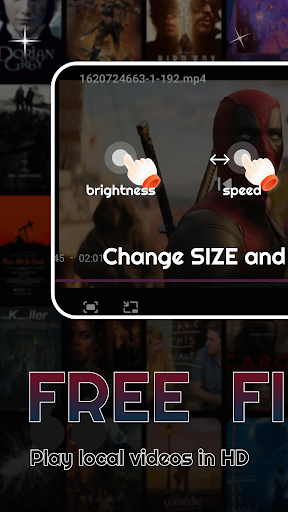
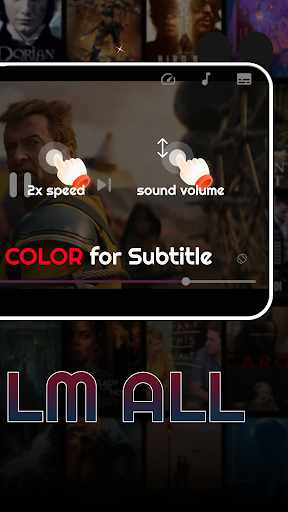
BoxVidPlayer operates as a comprehensive local media player on your mobile device. Its core functionality revolves around playing a vast array of video formats, including but not limited to MP4, MKV, AVI, MOV, and FLV, directly without conversion. The app features a built-in file explorer for easy navigation through device folders to locate video files. During playback, users benefit from precise control, including gesture-based seeking for brightness, volume, and timeline scrubbing. It supports multiple subtitle formats with options for synchronization and custom styling. Additional key functions include background audio playback, allowing videos to continue as audio only, the ability to create playlists, speed control, and sleep timer functionality. The player also leverages hardware acceleration for smooth performance and reduced battery consumption when playing high-resolution content.
Chapter 2: Value
The primary value of BoxVidPlayer lies in its unparalleled format compatibility and user-centric design, which together eliminate a common pain point for mobile users: file incompatibility. By supporting a wide spectrum of codecs natively, it saves users time and storage space that would otherwise be spent on converting video files. This positions it as a reliable, all-in-one solution. Its key advantages extend beyond mere playback. The intuitive gesture control system enhances usability, making complex adjustments simple and intuitive. The inclusion of advanced subtitle support caters to a global audience and users who rely on captions. Furthermore, features like background play transform the app from a simple video player into a multi-tasking tool, enabling users to listen to video content like podcasts or music while using other apps. The focus on hardware acceleration ensures that high-definition and even 4K videos play smoothly without stuttering, preserving device battery life more effectively than software decoding. This combination of power, convenience, and customization offers significant value, providing a superior and hassle-free alternative to built-in video players and many other third-party applications.
Chapter 3: Scenarios
BoxVidPlayer is ideally suited for a diverse range of users and daily situations. Frequent travelers and commuters form a core user group; they can download various video formats onto their devices and rely on BoxVidPlayer for guaranteed playback during flights or subway rides without worrying about format issues. Movie and TV show enthusiasts who acquire media in different formats, especially high-quality MKV files with multiple audio and subtitle tracks, will find the app's robust support indispensable. Students and professionals represent another key group, using the app to play educational videos, lectures, or presentations. The speed control feature is particularly valuable for efficiently reviewing lecture material. Additionally, users who enjoy listening to music videos or long interviews will utilize the background play feature to conserve data and battery while multitasking. In essence, any individual who regularly consumes locally stored video content on their smartphone or tablet and desires a powerful, reliable, and feature-packed player will find BoxVidPlayer to be an essential application for everyday media consumption.