Cast to TV+ ChromeCast Roku TV
Tools- Category Tools
- Size
- Requirements Android 0 and up
- Downloads 990,000,000+
- Package Name com.onelink.screenmirroring.casttotv.chromecast
- Content Rating Everyone
About Cast to TV+ ChromeCast Roku TV Feature
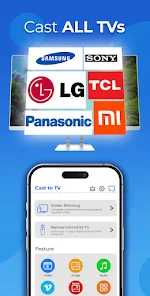
Cast to TV+ is a versatile screen mirroring and media casting application designed to bridge the gap between mobile devices and larger displays. It facilitates a seamless connection to a wide array of popular streaming devices, including Google Chromecast, Roku TV, Amazon Fire Stick, and smart TVs supporting Miracast. The app transforms your smartphone into a powerful remote and content hub, allowing you to project videos, photos, music, and even live camera feeds directly onto your television screen. By supporting both local files and online streaming content, it offers a unified solution for enhancing the home entertainment experience, making it an essential tool for modern media consumption.
Chapter 1: Function
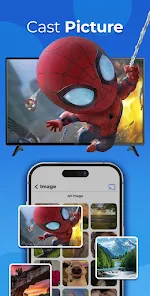
The core functionality of Cast to TV+ revolves around its ability to mirror and cast content from an Android or iOS device to a television. Upon launching the app, it automatically scans and identifies compatible devices on the same Wi-Fi network. Users can then select their target device, such as a Chromecast or Roku TV, to establish a connection. The app supports casting of media files stored locally on the phone, including videos in various formats, photo albums, and music playlists. Beyond local media, it can also cast content from other apps and websites, effectively mirroring the phone's screen in real-time. This allows for presentations, web browsing, or playing mobile games on a big screen. The interface typically includes a file browser, a history log, and settings to adjust video quality and connection stability, ensuring a smooth and user-controlled casting experience.
Chapter 2: Value
The primary value of Cast to TV+ lies in its universality and convenience, eliminating the need for cumbersome cables or multiple, device-specific apps. Its key advantage is broad compatibility; it is not locked into a single ecosystem like some native apps, supporting a wide spectrum of receivers from Chromecast and Roku to smart TVs from Samsung, LG, and others. This makes it an incredibly cost-effective solution, as users do not need to purchase different dongles or sticks for different TVs in their home. Furthermore, it enhances media consumption by providing a superior viewing experience. Watching home videos, vacation photos, or online tutorials on a large, high-definition TV is significantly more immersive and social than on a small phone screen. The app also adds value by functioning as a practical tool for both personal and professional scenarios. It can be used for sharing content with family, delivering business presentations without a laptop, or even for fitness instructors to stream workout routines. By consolidating these functions into a single, easy-to-use application, Cast to TV+ delivers significant utility, saving time and simplifying the process of enjoying mobile content on a television.
Chapter 3: Scenarios
Cast to TV+ is ideally suited for a diverse range of users and everyday situations. The primary target audience includes families and individuals who frequently consume digital media and seek a shared viewing experience. For instance, a family can use the app to cast a movie from a phone to their living room Roku TV for a cozy movie night, or to display a slideshow of holiday photos for everyone to see. Students and young professionals represent another key group, utilizing the app for academic or work-related presentations, mirroring their device's screen to a larger monitor in a classroom or meeting room. Gamers may also find it beneficial for projecting mobile game gameplay onto a TV for a more engaging experience. Common use cases extend to culinary enthusiasts following a cooking tutorial from their phone on the kitchen TV, fitness enthusiasts streaming workout videos to their living room television, and travelers wanting to watch their own downloaded videos on a hotel's smart TV. In essence, any scenario that benefits from scaling up a smartphone's display for viewing, sharing, or presenting is a perfect fit for Cast to TV+.