Google Home
Lifestyle- Category Lifestyle
- Size 187.46 MB
- Requirements Android 5 and up
- Downloads 350,000,000+
- Package Name com.google.android.apps.chromecast.app
- Content Rating 3
About Google Home Feature
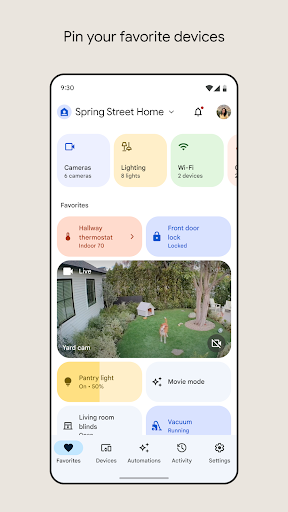
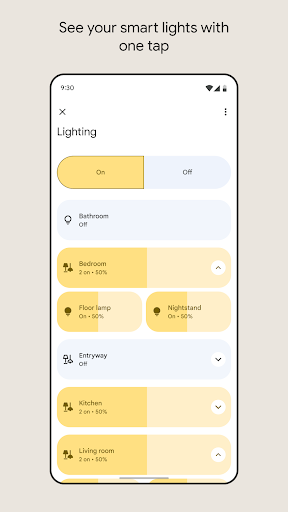
Google Home serves as the central command application for the Google ecosystem of smart devices, including Google Nest and Home speakers and displays. This application transforms a user's smartphone into a remote control for their entire connected home, enabling seamless management of compatible devices from a single, intuitive interface. It is the gateway to utilizing the full power of the Google Assistant for home automation, allowing users to adjust lights, thermostats, and security systems with simple voice commands or taps. By unifying control and providing personalized insights, Google Home aims to create a more helpful, efficient, and accessible living environment.
Chapter 1: Function
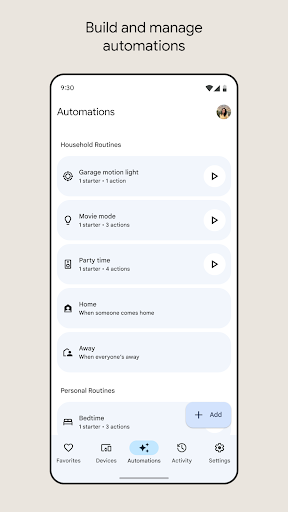
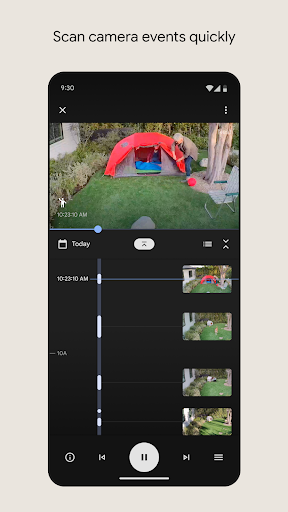
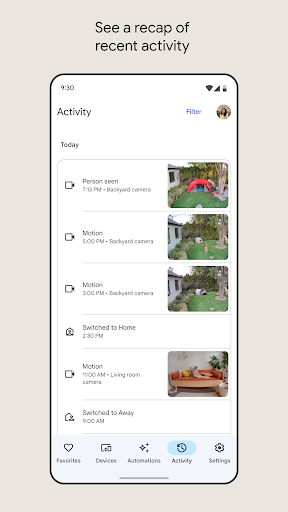
Google Home's core functionality is built around centralized control and automation. The app allows users to set up and manage their Google Nest, Home, and Chromecast devices, linking them to a single account. Its primary feature is enabling voice control via Google Assistant for a wide array of compatible smart home products from thousands of popular brands. Users can create custom routines that trigger multiple actions with a single command, such as 'Good Morning,' which can turn on lights, read the news, and adjust the thermostat. The application also features a live view and history from Google Nest cameras, provides personalized alerts based on recognized activity, and allows for easy media control across speakers and displays. Furthermore, it facilitates the creation of a whole-home audio system by grouping speakers together for synchronized playback.
Chapter 2: Value
The principal value of Google Home lies in its ability to unify a fragmented smart home landscape, offering unparalleled convenience and efficiency. It eliminates the need to juggle multiple apps by providing a single dashboard for controlling lights, plugs, cameras, and thermostats. This centralized approach, powered by the intelligence of Google Assistant, enables a truly contextual and proactive experience. The app learns from user habits to offer personalized suggestions, such as adjusting the temperature before you arrive home. Its deep integration with the Google ecosystem, including Calendar, Maps, and YouTube, adds a layer of utility that standalone device apps cannot match. For families, the value extends to creating a shared home environment where each member can have personalized experiences and parents can set digital ground rules with features like Downtime. The robust automation through routines saves time and mental energy, automating mundane tasks. Moreover, its commitment to privacy with features like activity zones for cameras and easy access controls provides users with peace of mind, making a smart home not just intelligent, but also trustworthy and tailored to individual needs.
Chapter 3: Scenarios
Google Home is ideally suited for tech-savvy individuals and families seeking to streamline their daily routines and enhance their living space's comfort and security. A busy professional can use the app to activate a 'Leaving Home' routine that locks smart locks, turns off all lights, and arms the security system as they walk out the door. Parents can use it to broadcast announcements to Google Home devices in different rooms, set morning routines for their children that include weather updates and school schedule reminders, and monitor common areas with Nest cameras. Students and young adults in apartments can use a single Nest Mini speaker and the app to control smart bulbs and a streaming stick, creating an affordable and voice-controlled entertainment and lighting system. Furthermore, it is highly beneficial for individuals with mobility or vision impairments, as voice commands offer an accessible way to control the home environment without needing to physically interact with switches or remotes, promoting greater independence.