Grammarly Keyboard
Productivity- Category Productivity
- Size 87.08 MB
- Requirements Android 4.4 and up
- Downloads 630,000,000+
- Package Name com.grammarly.android.keyboard
- Content Rating Everyone
About Grammarly Keyboard Feature
Grammarly Keyboard is a mobile keyboard application that integrates advanced writing assistance directly into your typing experience on smartphones and tablets. It leverages artificial intelligence to provide real-time grammar, spelling, punctuation, and style checks across various apps, from email clients and social media to messaging platforms. The app is designed to help users communicate more effectively and confidently by offering suggestions and corrections as they type, ensuring clarity and professionalism in all written communication.
Chapter 1: Function
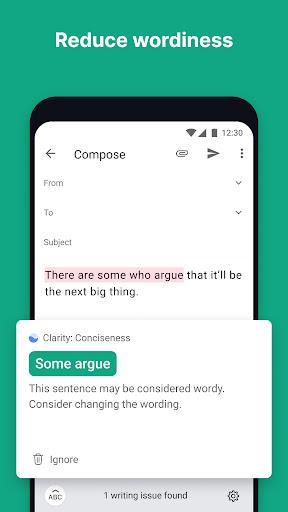
The core function of the Grammarly Keyboard is to provide real-time writing assistance. Once installed and set as the default keyboard, it operates seamlessly within any application that requires text input. It performs comprehensive checks for common and complex grammatical errors, corrects spelling mistakes, and suggests proper punctuation. Beyond basic corrections, it analyzes tone and sentence structure, offering synonyms and phrasing alternatives to enhance clarity and conciseness. The keyboard also includes a built-in plagiarism checker for premium users and allows for setting specific writing goals based on audience, formality, and intent. This transforms the standard mobile typing experience into a powerful, proactive editing tool that works everywhere you write.
Chapter 2: Value
The primary value of Grammarly Keyboard lies in its ability to elevate the quality and impact of everyday communication. Its key advantage is the seamless integration of a sophisticated AI writing assistant into the most fundamental interface of a mobile device—the keyboard. This eliminates the need to copy and paste text between a document and a separate editing tool, saving significant time and effort. For professionals, it ensures that emails and messages are polished and error-free, projecting competence and attention to detail. For students, it serves as an educational tool, helping to improve their writing skills over time by explaining the reasoning behind corrections. The app's ability to adapt suggestions based on tone and audience—whether it's a formal report or a casual tweet—provides immense versatility. Furthermore, its privacy-focused design, which anonymizes data, offers peace of mind. Ultimately, Grammarly Keyboard delivers confidence, ensuring users can express their ideas clearly and correctly in any digital context, thereby improving personal and professional outcomes.
Chapter 3: Scenarios
Grammarly Keyboard is ideally suited for a wide range of users who frequently communicate via their mobile devices. Professionals who manage their email and Slack communications on the go are primary beneficiaries, as the app helps maintain a professional tone and eliminates embarrassing mistakes in client or colleague interactions. Students and academics find it invaluable for drafting essays, research notes, and discussion posts directly on their phones or tablets, ensuring their work is well-written before submission. Content creators, social media managers, and bloggers use it to craft compelling and error-free posts for platforms like Twitter, LinkedIn, and Instagram. Non-native English speakers also form a key user group, as the keyboard acts as a constant, supportive tool for improving their language skills and ensuring their messages are understood as intended. In everyday use, it is activated for writing a quick yet professional email, composing a thoughtful comment, crafting a persuasive presentation message, or simply ensuring a text message is clear and polite.