Master Cleaner
Tools- Category Tools
- Size 54.9MB
- Requirements Android 0 and up
- Downloads 670,000,000+
- Package Name mc.mcpc.cleaner
- Content Rating Everyone
About Master Cleaner Feature
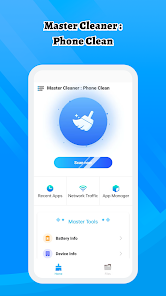
Master Cleaner is a comprehensive mobile optimization application designed to enhance device performance and free up storage space. It serves as an all-in-one toolkit for maintaining smartphone health, targeting issues like sluggish performance, insufficient storage, and excessive cache buildup. The app combines powerful cleaning algorithms with user-friendly controls to deliver a seamless maintenance experience. By addressing common mobile pain points, Master Cleaner helps users reclaim valuable memory, boost operational speed, and extend their device's lifespan without requiring technical expertise.
Chapter 1: Function
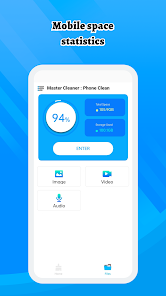
Master Cleaner performs several core functions essential for device maintenance. Its primary feature is junk file cleaning, which scans and removes unnecessary cache, residual files, and temporary data accumulated from apps and system processes. The app includes a duplicate file detector that identifies and eliminates redundant photos, videos, and documents. Additionally, it offers a CPU cooler function that monitors and reduces processor load to prevent overheating. The storage analyzer provides visual representations of space usage, helping users identify large files and unused applications. Other functionalities include a battery saver mode that optimizes power consumption and a memory booster that clears background apps to improve RAM availability. These tools work collectively to maintain optimal device performance through automated and manual cleaning options.
Chapter 2: Value
Master Cleaner delivers significant value by transforming device maintenance from a complex technical chore into an accessible everyday practice. Its foremost advantage lies in restoring and preserving device performance, effectively reversing the slowdown that typically occurs over time with regular smartphone use. By systematically removing gigabytes of unnecessary data, the app directly addresses storage anxiety – the common frustration of constantly managing limited phone capacity. This storage reclamation enables users to keep more photos, videos, and applications without requiring costly upgrades or constant file deletions. The application's comprehensive approach provides peace of mind through its privacy protection features, which securely erase browsing history, call logs, and sensitive application data. Unlike built-in phone cleaners that offer limited functionality, Master Cleaner combines multiple optimization tools in a single interface, saving users from downloading numerous specialized applications. The intelligent scanning algorithms distinguish between essential files and genuine junk, preventing accidental deletion of important data. Regular use results in tangible benefits including faster app launches, smoother multitasking, extended battery life, and reduced system crashes. These performance improvements enhance the overall user experience while delaying device obsolescence, ultimately providing exceptional value for both casual users and power users seeking to maximize their mobile investment.
Chapter 3: Scenarios
Master Cleaner serves diverse user groups across multiple daily scenarios. Primary users include smartphone owners with limited storage capacity, particularly those using budget or older devices with 32GB or 64GB internal memory. Students frequently utilize the app to manage space between educational materials, social media, and entertainment content. Photography enthusiasts benefit from the duplicate photo detection when curating large image libraries. Business professionals rely on the memory booster before important presentations or video conferences to ensure optimal performance. Common use cases occur when users receive storage warnings and need immediate space reclamation, or when devices become noticeably sluggish after extended use. The app sees regular deployment before downloading large files, installing system updates, or sharing devices among family members to clear personal data. Travelers often use the storage analyzer function before trips to maximize space for photos and navigation apps. Parents appreciate the simple interface for maintaining children's tablets and shared family devices. The CPU cooling feature proves valuable during extended gaming sessions or when using resource-intensive applications. These scenarios demonstrate Master Cleaner's adaptability to both emergency optimization needs and routine device maintenance across various user demographics and technological proficiency levels.