OCR Swift Scanner Lite & QR
Tools- Category Tools
- Size 19.3MB
- Requirements Android 0 and up
- Downloads 10,000,000+
- Package Name com.lysyolo.scan.lite
- Content Rating Everyone
About OCR Swift Scanner Lite & QR Feature
OCR Swift Scanner Lite & QR is a versatile mobile application designed to transform your smartphone into a powerful portable scanner and code reader. It leverages advanced Optical Character Recognition technology to instantly digitize printed text from documents, receipts, and name cards, converting them into editable and searchable digital formats. Simultaneously, the app functions as a swift and reliable QR code reader, providing instant access to embedded links and information. This dual-purpose tool is engineered for efficiency, offering a streamlined user experience that prioritizes speed and accuracy for both personal and professional use, all within a lightweight and accessible application.
Chapter 1: Function
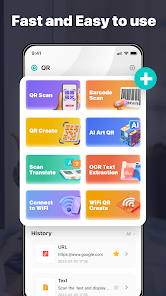
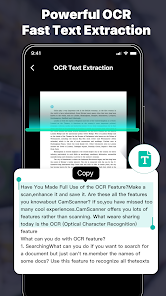
The core functionality of OCR Swift Scanner Lite & QR is built upon two pillars: document scanning with OCR and QR code reading. The document scanner allows users to capture images of physical documents using their device camera, automatically detecting edges and correcting perspective for a clean, scan-like result. Its primary power lies in the integrated OCR engine, which can recognize text within these images in multiple languages and convert it into editable digital text that can be copied, shared, or searched. The second major function is the QR code scanner, which activates the camera to instantly scan and decode QR codes, directing users to websites, contact information, or other encoded data. Additional features include the ability to save scans in various formats like PDF or TXT and organize them within the app for easy retrieval.
Chapter 2: Value
The value proposition of OCR Swift Scanner Lite & QR lies in its ability to significantly enhance productivity and organization by digitizing the physical world. Its key advantage is the elimination of manual data entry. Instead of typing out text from a paper document, users can scan and extract text in seconds, saving considerable time and minimizing errors. This is invaluable for students digitizing notes, professionals archiving contracts, or anyone managing receipts for expense tracking. The app's accuracy and support for multiple languages make it a reliable tool for a global user base. Furthermore, the inclusion of a high-speed QR code reader consolidates two essential tools into one application, reducing the need for multiple single-purpose apps. The lite version ensures that these powerful features are accessible without a significant storage footprint or upfront cost, offering substantial utility for free. It empowers users to create a paperless workflow, ensuring important information is always accessible, editable, and secure on their mobile device, thereby fostering a more organized and efficient digital lifestyle.
Chapter 3: Scenarios
The primary target users for OCR Swift Scanner Lite & QR are students, professionals, and general users who frequently handle physical documents and digital codes. Students can use the app to quickly digitize textbook passages, library notes, or whiteboard writings for their digital study repositories. Office professionals find it indispensable for scanning business cards directly into their contact list, archiving signed documents, and capturing data from reports without retyping. In everyday scenarios, a shopper might use the QR scanner to check product details or access online menus at a restaurant. A traveler could scan a printed boarding pass to quickly retrieve flight information or use OCR to translate signs in a foreign language. For personal organization, the app is perfect for digitizing receipts for warranty claims or budget tracking, and for saving recipes from magazines. Its simplicity and speed make it a go-to tool for anyone needing to bridge the gap between physical text and digital convenience instantly.