PDF Reader
Tools- Category Tools
- Size
- Requirements Android 0 and up
- Downloads 40,000,000+
- Package Name jewels.pdf.reader.viewer
- Content Rating Everyone
About PDF Reader Feature
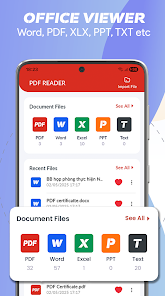
PDF Reader is a versatile mobile application designed for viewing, editing, annotating, and managing PDF documents. It serves as a comprehensive tool for users who need to handle PDF files on their smartphones or tablets, offering a seamless experience across various tasks. The app integrates essential functionalities such as reading, form filling, and digital signing into a single platform. Its intuitive interface ensures that both casual and professional users can navigate its features with ease. Supporting a wide range of document operations, PDF Reader enhances productivity by allowing quick access and modifications to files anytime, anywhere. It is compatible with multiple devices and operating systems, making it a reliable choice for personal and business use.
Chapter 1: Function
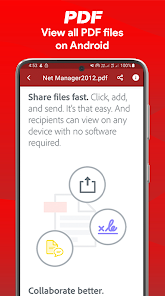
PDF Reader excels in providing core functions that cover the entire lifecycle of handling PDF documents. Users can open and view PDF files in high quality, with smooth scrolling and zooming capabilities for optimal readability. The app includes robust annotation tools, enabling highlighting, underlining, and adding text or sticky notes to documents. It supports editing features such as merging, splitting, and compressing PDFs to manage file sizes efficiently. Form filling is simplified with interactive field support, and digital signature options allow for secure document signing. Additionally, the app offers cloud storage integration for easy file access and sharing via email or other platforms. These functions are designed to handle everything from basic viewing to advanced document manipulation, ensuring all user needs are met in one application.
Chapter 2: Value
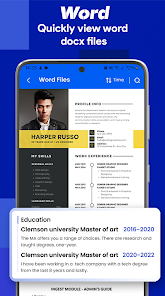
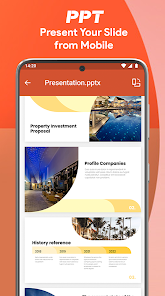
The value proposition of PDF Reader lies in its ability to streamline document management, saving users time and effort while enhancing productivity. Key advantages include its user-friendly design, which reduces the learning curve and allows for immediate use without extensive training. The app supports offline access, enabling users to work on PDFs without an internet connection, which is crucial for on-the-go scenarios. Its compatibility with various formats and devices ensures seamless integration into existing workflows, whether for students, professionals, or casual users. Security features like password protection and encryption safeguard sensitive information, providing peace of mind. Moreover, the app's cost-effectiveness, often available as a free tool with affordable premium upgrades, makes it accessible to a broad audience. By consolidating multiple PDF-related tasks into a single platform, it eliminates the need for separate software, reducing clutter and improving efficiency. This comprehensive approach positions PDF Reader as an indispensable tool for everyday document handling.
Chapter 3: Scenarios
PDF Reader primarily targets students, professionals, and general users who frequently interact with PDF documents. Students use it to read textbooks, annotate lecture notes, and submit assignments digitally, enhancing their study routines. Professionals, such as office workers or freelancers, rely on the app for reviewing reports, filling out forms, and signing contracts during meetings or remote work. In everyday scenarios, users might open the app to view travel itineraries, manage household bills, or share annotated documents with colleagues. It is also ideal for business environments where quick document edits and collaborations are essential, such as in legal or administrative settings. Casual users find it helpful for personal tasks like reading e-books or organizing scanned records. The app's versatility makes it suitable for various real-life situations, from academic research to corporate projects, ensuring that users can handle PDFs efficiently wherever they are.