PDF Reader and PDF Editor
Productivity- Category Productivity
- Size 40.9 MB
- Requirements Android 0 and up
- Downloads 720,000,000+
- Package Name pdfreader.pdfeditor.azurapdfdeader
- Content Rating Everyone
About PDF Reader and PDF Editor Feature
PDF Reader and PDF Editor is a comprehensive mobile application designed for viewing, annotating, and modifying PDF documents. It serves as an all-in-one solution for individuals and professionals who need to handle PDFs on the go. The app integrates a robust reader with a powerful yet intuitive editor, allowing users to perform a wide range of tasks from basic viewing to advanced form filling and document signing. Its compatibility with various cloud storage services ensures that documents are accessible anywhere, making it a versatile tool for managing digital paperwork efficiently.
Chapter 1: Function
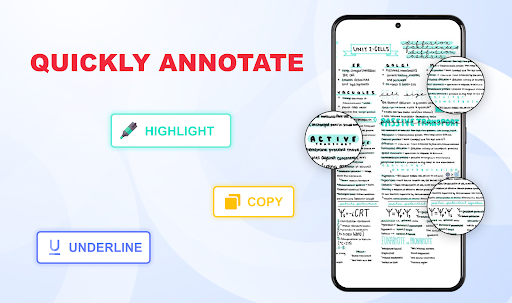
The core functionality of PDF Reader and PDF Editor centers on providing a complete toolkit for PDF management. As a reader, it offers fast rendering and smooth navigation for documents of any size, supporting features like bookmarking, text search, and multiple viewing modes. The editing suite is equally capable, enabling users to annotate PDFs with highlights, text boxes, sticky notes, and freehand drawings. Beyond annotations, the app allows for more significant modifications such as rearranging, deleting, or rotating pages. It also includes form filling capabilities for interactive PDF forms and an e-signature feature for signing contracts or approvals directly on a mobile device. Furthermore, it supports converting documents from other formats into PDF and can extract text and images, providing a seamless end-to-end experience for document handling.
Chapter 2: Value
The primary value of PDF Reader and PDF Editor lies in its ability to consolidate multiple essential tools into a single, user-friendly application, thereby eliminating the need for separate software. This consolidation offers significant advantages in terms of cost savings, streamlined workflow, and reduced digital clutter. A key advantage is its profound enhancement of productivity. Professionals can review and annotate reports during their commute, students can mark up lecture notes instantly, and anyone can sign a document without needing to print and scan. The app's reliability in maintaining document formatting and integrity across all operations ensures that the professional quality of the original PDF is preserved. Its deep integration with cloud platforms like Google Drive, Dropbox, and iCloud means that documents are always synchronized and accessible, fostering a flexible and mobile work style. The intuitive interface lowers the learning curve, making advanced PDF tasks accessible to users of all technical skill levels. By offering a powerful, portable office solution, the app delivers tangible value by saving time, reducing paper usage, and increasing operational efficiency for its diverse user base.
Chapter 3: Scenarios
PDF Reader and PDF Editor is ideally suited for a broad spectrum of users across various daily situations. Business professionals represent a core user group, utilizing the app to review contracts, annotate business proposals, and sign approval forms while away from the office, thus accelerating decision-making processes. Students and academics extensively use the app to read and highlight research papers, textbooks, and lecture slides, organizing their study materials effectively on their tablets or phones. Administrative personnel and freelancers rely on it to fill out tax forms, applications, and other official documents digitally, streamlining bureaucratic tasks. In everyday life, an individual might use the app to view a travel itinerary, mark up a recipe, or sign a permission slip for their child's school activity. The scenarios are ubiquitous, covering any context where a reliable, portable, and capable tool is needed to interact with the universal PDF format, making it indispensable for modern, on-the-go document management.