PDF Reader & PDF Editor
Productivity- Category Productivity
- Size 104.3 MB
- Requirements Android 0 and up
- Downloads 500,000,000+
- Package Name com.solara.pdfreader.pdfeditor
- Content Rating Everyone
About PDF Reader & PDF Editor Feature
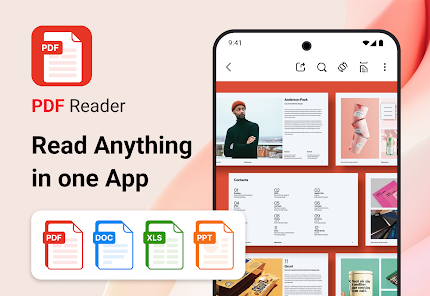
PDF Reader & PDF Editor is a comprehensive mobile application designed for viewing, editing, annotating, and managing PDF documents. It serves as an all-in-one solution for users who need to handle PDFs on their smartphones or tablets, bridging the gap between basic viewing and advanced editing capabilities. The app provides a user-friendly interface that caters to both casual users and professionals, enabling efficient document manipulation directly on a mobile device without the constant need for a desktop computer.
Chapter 1: Function
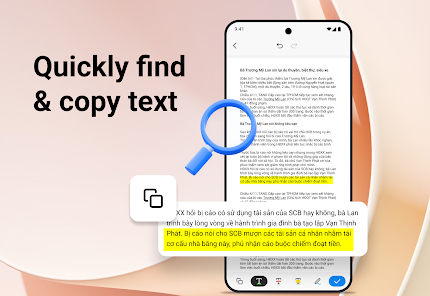
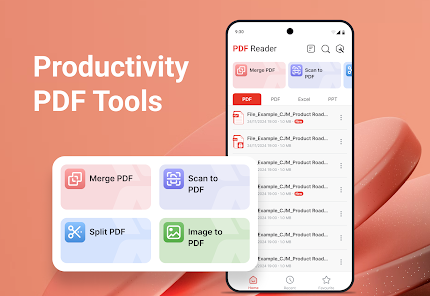
The core functionality of PDF Reader & PDF Editor centers on comprehensive document management. Primarily, it functions as a robust PDF viewer, supporting fast rendering of various PDF files, including those with complex layouts, images, and embedded fonts. Beyond viewing, its editing suite allows users to modify text and fonts directly within the PDF. The annotation tools are extensive, featuring highlights, underlines, strikethroughs, sticky notes, freehand drawing, and shapes. Users can effortlessly merge multiple PDFs, split a large document into smaller files, compress files to reduce size, and convert documents to and from PDF format. Adding, deleting, or rearranging pages is straightforward, and the app includes form-filling capabilities for interactive documents. Secure signing of contracts and forms is also a key feature, alongside cloud storage integration for easy access and backup.
Chapter 2: Value
The primary value of PDF Reader & PDF Editor lies in its consolidation of multiple essential tools into a single, portable platform, eliminating the need for several disparate applications. Its key advantage is the seamless integration of reading and advanced editing features, which are often found only in expensive desktop software. This provides significant cost-efficiency and convenience. The app enhances productivity by allowing users to perform complex document tasks on-the-go, turning idle time into productive work sessions. Its intuitive design ensures a shallow learning curve, making powerful PDF manipulation accessible to non-technical users. For professionals, the precision of its editing and annotation tools ensures document integrity and a professional appearance. The ability to handle form filling and digital signatures streamlines workflows, from approving internal documents to closing business deals remotely. Furthermore, robust compression and conversion features ensure documents are optimized for sharing and storage, facilitating smoother collaboration. By offering a reliable, feature-rich alternative to desktop solutions, the app delivers tangible time savings and operational flexibility, making it an indispensable tool for anyone who regularly works with digital documents.
Chapter 3: Scenarios
The primary target users for PDF Reader & PDF Editor are students, professionals, and business individuals. Students utilize the app to read textbooks, annotate lecture notes, highlight research papers, and complete assignment forms. Office workers and remote employees rely on it to review reports, edit business proposals, fill out and sign HR documents or contracts while away from the office, and compress large files for emailing. Freelancers and consultants use it to sign client agreements and mark up project drafts directly on their mobile devices. Academics and researchers find it invaluable for annotating journal articles and organizing reference materials. In everyday use, a commuter might use it to read and highlight a report on the train; a manager could quickly sign and return an urgent approval document during a lunch break; a traveler could fill out a digital immigration form without needing to print it; and a teacher might grade student submissions by adding comments and notes directly onto the PDF files. It effectively serves any scenario where immediate access to and manipulation of PDF documents is required outside a traditional office setting.