Screen Mirroring
Tools- Category Tools
- Size 8.9 MB
- Requirements Android 4.1 and up
- Downloads 670,000,000+
- Package Name com.soomapps.screenmirroring
- Content Rating 3
About Screen Mirroring App Feature
Screen Mirroring is a versatile mobile application that enables users to wirelessly display their smartphone or tablet screens onto larger displays such as smart TVs, projectors, and computers. Supporting various protocols including Chromecast, Miracast, and AirPlay, it provides a seamless solution for sharing content across different platforms and devices. The app is designed for ease of use, requiring minimal setup to establish a stable connection. It enhances how individuals and groups interact with digital content by bridging the gap between small mobile screens and larger viewing environments, making it an essential tool for both personal entertainment and professional presentations.
Chapter 1: Function
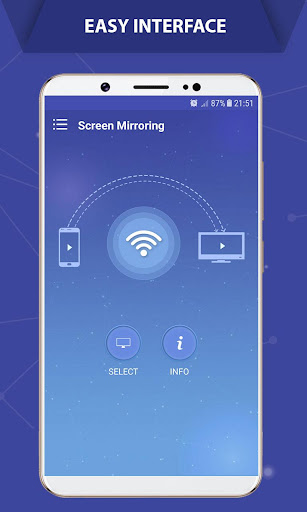
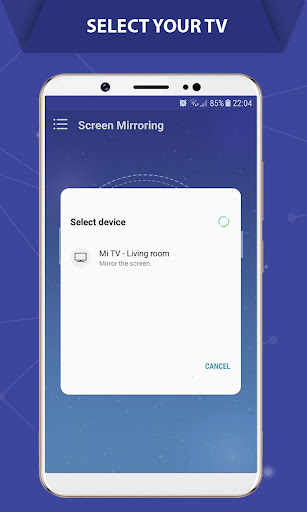
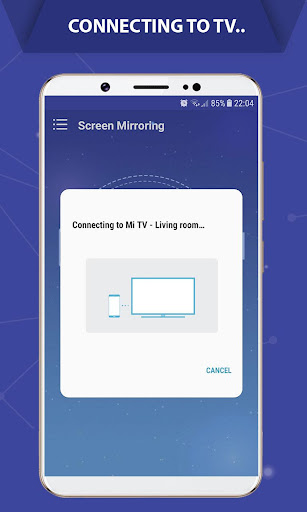
The core function of the Screen Mirroring app is to replicate the display of a mobile device onto a larger screen in real-time. Upon launching the application, it automatically scans for compatible receiver devices on the same Wi-Fi network. Users can then select their target display, such as a smart TV, to initiate the mirroring session. The app transmits everything shown on the mobile device—including apps, videos, photos, presentations, and even live gameplay—directly to the big screen without any noticeable lag when the connection is optimal. It also supports audio streaming, ensuring that sound is played through the external display's speakers. Additional features often include the ability to adjust video quality for performance, record the mirrored screen, and use the phone as a remote control during the presentation, providing a comprehensive set of tools for screen sharing.
Chapter 2: Value
The primary value of the Screen Mirroring app lies in its ability to transform any large screen into an extension of one's personal device, thereby significantly enhancing the viewing and sharing experience. A key advantage is its universal compatibility; it works across a wide range of devices and operating systems, breaking down the barriers often posed by proprietary ecosystems. This interoperability saves users from the hassle and expense of purchasing specific hardware dongles. For professionals, the app is a powerful tool for productivity. It allows for dynamic business presentations, collaborative design reviews, and efficient team meetings by enabling everyone to view the same content simultaneously on a large screen, which fosters better communication and decision-making. In educational settings, teachers can mirror educational apps and tutorials, making lessons more interactive and engaging for students. For personal use, the value is immense in entertainment. Families can easily share vacation photos and home videos on the television, creating a more communal and enjoyable experience. Gamers can stream mobile games to the big screen for a more immersive experience, while also being able to mirror streaming services like Netflix or YouTube without the need for separate smart TV apps. The app promotes a cable-free, clutter-free environment, offering convenience and a modern, streamlined approach to digital connectivity that is both efficient and user-friendly.
Chapter 3: Scenarios
The Screen Mirroring app caters to a diverse set of user groups across various everyday situations. Business professionals represent a primary audience, frequently utilizing the app to conduct presentations in meeting rooms, share reports with colleagues, or lead video conferences by displaying content directly from their laptops or tablets onto a large monitor or projector. In the education sector, teachers and students use screen mirroring to project educational materials, apps, and student work during lessons, facilitating a more interactive and collaborative classroom environment. Another significant user group is families and entertainment enthusiasts. They use the app for streaming movies and TV shows from their phones to the living room TV, sharing photo albums with relatives during gatherings, or playing mobile games on a larger display for a more engaging experience. Social media influencers and content creators might use it to showcase their phone screen during live streams or to review content on a bigger screen for better editing precision. Essentially, any individual or group looking to share digital content from a small screen to a larger one for purposes of collaboration, entertainment, or presentation will find the Screen Mirroring app exceptionally useful in their daily routines.