Messages
Communication- Category Communication
- Size 26.3 MB
- Requirements Android 0 and up
- Downloads 550,000,000+
- Package Name com.textmessages.chatandmessage
- Content Rating Everyone
About Messages App Feature
The Messages app is a fundamental and versatile mobile application pre-installed on most smartphones, serving as the default platform for text-based communication. It enables users to exchange SMS and MMS messages with individuals and groups across different mobile carriers and devices. With the evolution of technology, many versions of the Messages app, particularly on certain operating systems, now also support advanced Rich Communication Services (RCS), which provides a more enhanced, internet-based messaging experience similar to popular over-the-top apps. This application acts as a central hub for personal and professional conversations, integrating seamlessly with the device's core functions like contacts and notifications. Its universal availability and straightforward design make it an essential tool for daily digital interaction, bridging the gap between basic texting and modern chat features without requiring a separate download or account creation.
Chapter 1: Function
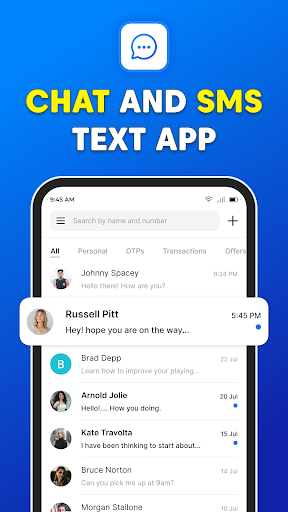
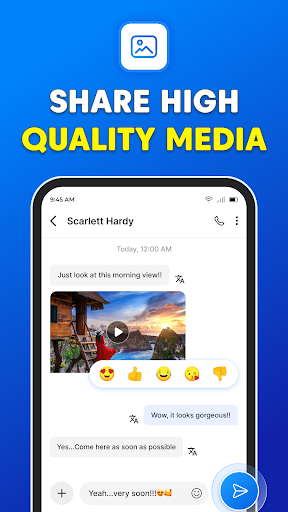
The core function of the Messages app is to facilitate text-based communication through Short Message Service (SMS) and Multimedia Messaging Service (MMS). This allows users to send and receive plain text messages, as well as multimedia content such as photos, videos, and audio files. For devices and carriers that support it, the app also implements RCS messaging, enabling features like read receipts, typing indicators, high-quality media sharing, and messaging over Wi-Fi or mobile data. Group messaging is a fundamental capability, permitting conversations with multiple contacts simultaneously. The app organizes conversations into a simple, chronological thread view, making it easy to follow dialogues. It also supports message search, allowing users to find specific texts or media within their history. Basic customization options, such as setting notification tones for different conversations, are typically included. Furthermore, the app can handle delivery reports for SMS and integrates with the system's contact list to automatically display sender names and photos.
Chapter 2: Value
The primary value of the Messages app lies in its universality, reliability, and deep integration with the mobile ecosystem. Unlike third-party messaging applications that require both parties to have the same app installed, SMS/MMS works on virtually every mobile phone, making it the most accessible and fallback option for communication. This ensures that you can reach anyone with a mobile number, regardless of their device or data connection. For users with RCS-capable devices and carriers, the value proposition expands significantly, offering a modern, data-rich messaging experience with enhanced features like confirmed delivery and read statuses, larger group chats, and improved security with end-to-end encryption in some implementations, all without needing a separate account. Its seamless integration with the phone's operating system provides a cohesive user experience; notifications appear in the system shade, messages can be read and replied to from the lock screen, and the app works flawlessly with voice assistants for hands-free operation. It serves as a dependable record of conversations, which can be crucial for personal reference or professional documentation. The app's simplicity makes it easy for users of all technical skill levels to adopt, eliminating the learning curve associated with more complex platforms. Ultimately, it provides a foundational, no-cost communication channel that is both immediate and widely accepted.
Chapter 3: Scenarios
The Messages app caters to a broad spectrum of users and is utilized in countless everyday scenarios. Its primary user groups include virtually every individual with a mobile phone, from teenagers coordinating social plans with friends to professionals confirming meeting times or receiving two-factor authentication codes for work accounts. Parents and family members frequently use it for quick check-ins, sharing family photos via MMS, or coordinating household logistics. In professional contexts, it is often used for quick, informal communication between colleagues, appointment reminders from healthcare providers, or delivery notifications from services. In situations where internet connectivity is poor or unavailable, SMS remains a reliable method to send critical information. It is also invaluable for communicating with individuals who may not use or have access to smartphones or specific messaging apps, such as older relatives or people in regions with limited data infrastructure. Everyday use cases range from simple one-on-one conversations and group chats for planning events to receiving important alerts from schools, banks, and other institutions. The app's universal nature makes it the default choice for any scenario that requires a guaranteed, direct, and immediate line of text-based communication with any mobile number.