Google Classroom
Education- Category Education
- Size 46.09 MB
- Requirements Android 4.4 and up
- Downloads 320,000,000+
- Package Name com.google.android.apps.classroom
- Content Rating 3
About Google Classroom Feature
Google Classroom is an educational platform developed by Google to streamline the process of creating, distributing, and grading assignments in a paperless way. As part of the Google Workspace for Education suite, it serves as a centralized hub where teachers and students can interact seamlessly. The platform integrates seamlessly with other Google services like Google Drive for document storage, Google Docs for word processing, and Google Meet for virtual classes. Its primary purpose is to simplify workflow and facilitate communication, making it an essential tool for modern educational environments, from primary schools to universities. By bringing all aspects of the learning cycle into one accessible space, Google Classroom effectively bridges the gap between traditional and digital learning.
Chapter 1: Function
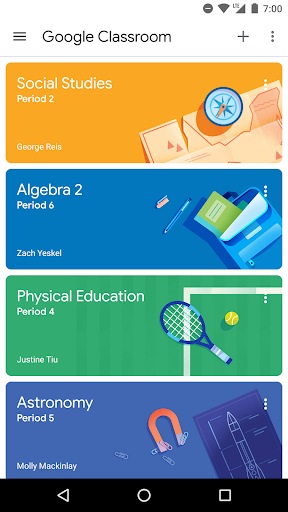
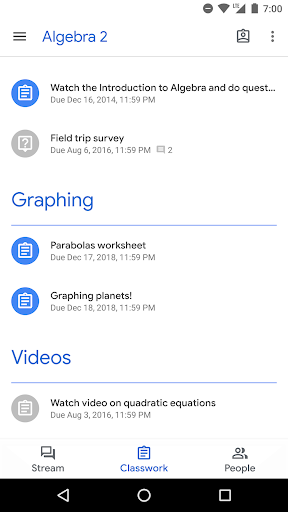
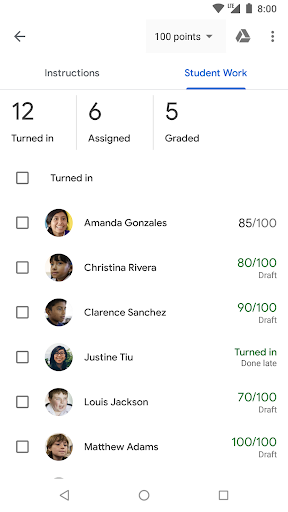
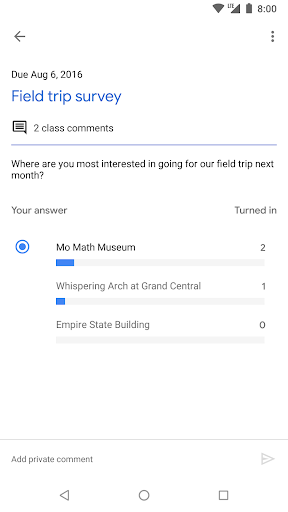
Google Classroom's core functionality revolves around creating a digital classroom environment. Teachers can easily set up classes, invite students via a unique code or email, and organize the class stream with announcements and materials. A central feature is the assignment management system, allowing educators to create assignments, set due dates, and attach necessary resources from Google Drive, YouTube, or links. Students receive notifications, complete their work directly within the platform using Google Docs or Slides, and submit it with a single click. Teachers can then review, grade, and return submissions with private comments, all within the same interface. Furthermore, the platform includes a built-in grade book to track student progress and a Class Drive folder that automatically organizes all shared materials. Communication is facilitated through the class stream for announcements and private comments on assignments, while the integration with Google Meet allows for easy scheduling and launching of virtual video classes.
Chapter 2: Value
The value proposition of Google Classroom lies in its ability to enhance efficiency, organization, and accessibility for both educators and students. Its primary advantage is the significant reduction in time and effort spent on administrative tasks. By digitizing the assignment lifecycle, it eliminates the need for physical handouts, collects work automatically, and centralizes grading and feedback. This streamlined workflow frees up valuable time for teachers to focus on instruction and personalized support. For students, the platform offers a single, intuitive dashboard to view all classes, upcoming deadlines, and completed work, fostering better time management and responsibility. The seamless integration with the broader Google Workspace ecosystem is a key competitive advantage, providing a cohesive and powerful toolkit without requiring users to switch between disparate applications. Being free for educational institutions also presents immense value, removing cost barriers to digital adoption. Furthermore, it promotes equitable access; students can participate from any device with an internet connection, ensuring learning continuity. The platform's design encourages collaboration not only between teacher and student but also among peers through shared documents and project work. Ultimately, Google Classroom delivers value by creating a more organized, communicative, and efficient learning environment that prepares students for a digital future.
Chapter 3: Scenarios
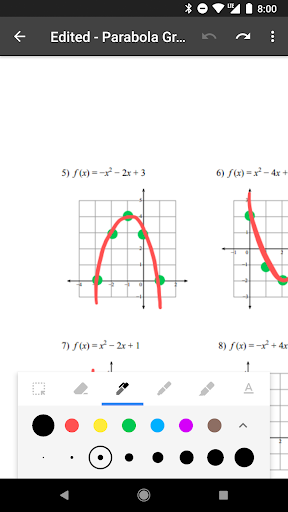
Google Classroom is primarily targeted at formal educational institutions, including K-12 schools, colleges, and universities. Its key user groups are teachers, students, and administrators. For a high school teacher, a typical day might involve posting a morning announcement about a quiz, creating and distributing a digital worksheet for history class, and then reviewing submitted essays from English students, adding inline comments and grades directly onto the Google Docs. A student would use the app to check their class stream for updates, see the 'To-do' list on their dashboard to prioritize assignments, collaborate with classmates on a shared Slides presentation for a group project, and submit their completed math homework before the deadline. In higher education, a university professor might use it to distribute lecture slides, host Q&A sessions for large courses, and manage research submissions from graduate students. Beyond traditional classrooms, it is also effectively used in professional development workshops, corporate training sessions, and online tutoring scenarios, demonstrating its versatility in any situation requiring structured distribution of information and collection of work.