Google Drive
Productivity- Category Productivity
- Size 119.27 MB
- Requirements Android 4.4 and up
- Downloads 810,000,000+
- Package Name com.google.android.apps.docs
- Content Rating 3
About Google Drive Feature
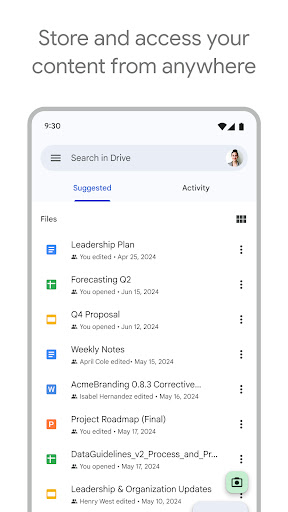
Google Drive is a comprehensive cloud storage and synchronization service developed by Google. It enables users to store files securely online, access them from any smartphone, tablet, or computer, and collaborate with others in real time. As a central hub for Google Workspace, it integrates seamlessly with popular productivity tools like Google Docs, Sheets, and Slides, facilitating efficient file management and teamwork. Its cross-platform availability and generous free storage tier make it an essential tool for individuals and organizations aiming to preserve and share their digital content effortlessly.
Chapter 1: Function
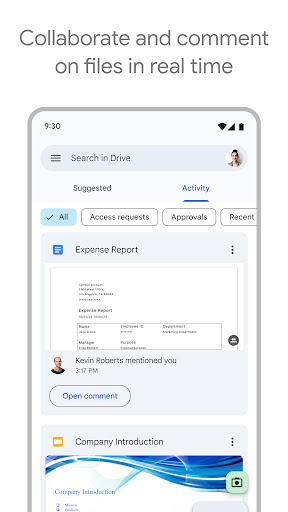
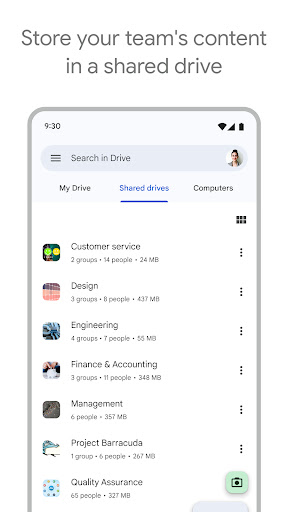
Google Drive's core functionality revolves around cloud-based file storage, synchronization, and sharing. Users can upload various file types, including documents, photos, videos, and PDFs, to a secure online repository. The service automatically syncs these files across all linked devices, ensuring the latest version is always accessible. A key feature is its powerful sharing capability, allowing users to generate shareable links or invite collaborators directly via email. Permissions can be set to view, comment, or edit, enabling controlled access. Furthermore, Google Drive provides a robust suite of integrated creation tools. Users can directly generate new documents, spreadsheets, presentations, and forms within Drive, which are saved instantly and support real-time, multi-user editing. This eliminates the need for emailing different file versions and streamlines collaborative workflows.
Chapter 2: Value
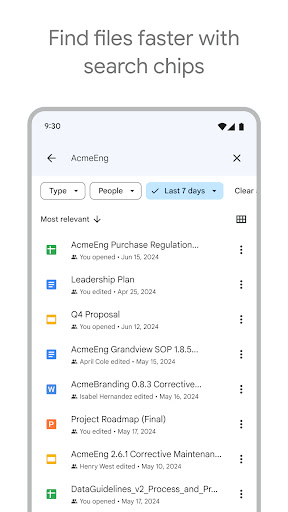
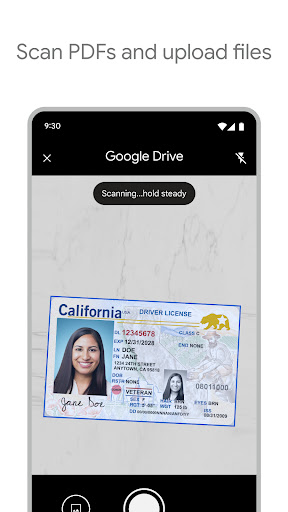
The primary value proposition of Google Drive lies in its ability to enhance productivity, ensure accessibility, and foster seamless collaboration. By storing files in the cloud, it liberates users from the constraints of physical storage devices and specific computers, offering universal access from any internet-connected device. This guarantees that your work is never out of reach. Its deep integration with Google's ecosystem, including Gmail and Google Photos, creates a unified and efficient user experience; for instance, large email attachments can be saved directly to Drive. The real-time collaboration features are a significant advantage, allowing multiple team members to work simultaneously on a single document, with changes reflected instantly and a detailed version history to track edits. This drastically reduces project turnaround times and improves team coordination. For individual users, the 15 GB of free storage provides substantial space for personal documents and memories. The powerful search function, capable of recognizing objects and text within images and scanned documents, ensures that no file is ever truly lost. Overall, Google Drive delivers a secure, scalable, and intelligent platform that simplifies digital life for both casual users and large enterprises.
Chapter 3: Scenarios
Google Drive serves a diverse range of user groups across various everyday scenarios. Students and academics are primary users, leveraging it to store lecture notes, research papers, and group project files. They collaborate on assignments in real-time, sharing drafts and providing feedback without the confusion of multiple file versions. Professionals and businesses rely heavily on Drive for document management, team projects, and client presentations. It acts as a central repository for company handbooks, reports, and marketing materials, accessible to employees regardless of their location. Freelancers and remote workers use it to share deliverables with clients and receive approvals efficiently. Families and individual users find it ideal for backing up precious photos and videos, creating shared family albums, and storing important documents like passports and insurance policies for secure access during travel or emergencies. In educational settings, teachers distribute materials and collect assignments through Drive, streamlining classroom administration. Essentially, any situation requiring reliable storage, easy access, or collaborative work is a perfect use case for Google Drive.