Word Office
Productivity- Category Productivity
- Size 104.83MB
- Requirements Android 4.4 and up
- Downloads 660,000,000+
- Package Name com.officedocument.word.docx.document.viewer
- Content Rating Everyone
About Word Office Feature
Word Office is a comprehensive mobile office suite designed to handle various document formats with efficiency and precision. This application serves as an all-in-one solution for creating, editing, and managing documents, spreadsheets, and presentations directly on smartphones and tablets. It supports a wide range of file types including DOC, DOCX, XLS, XLSX, PPT, PPTX, and PDF, ensuring compatibility with Microsoft Office formats. Word Office integrates powerful editing tools with a user-friendly interface, making advanced document processing accessible to both casual users and professionals. Its cloud integration capabilities allow for seamless synchronization and collaboration, while its offline functionality ensures productivity regardless of internet connectivity. The app bridges the gap between mobile convenience and desktop-level office functionality.
Chapter 1: Function
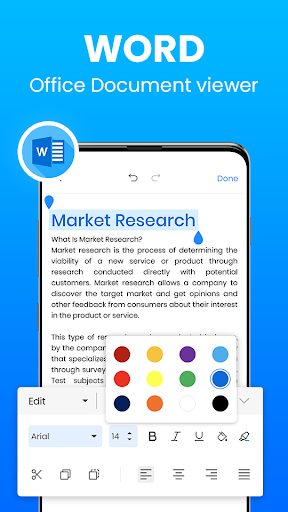
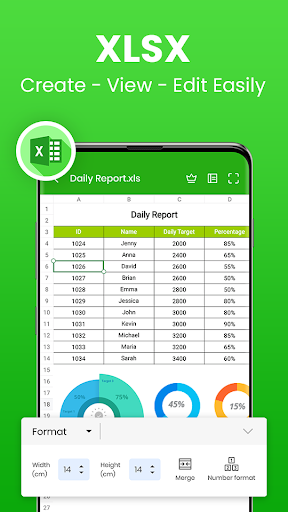
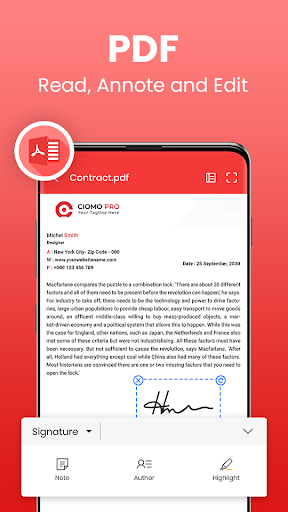
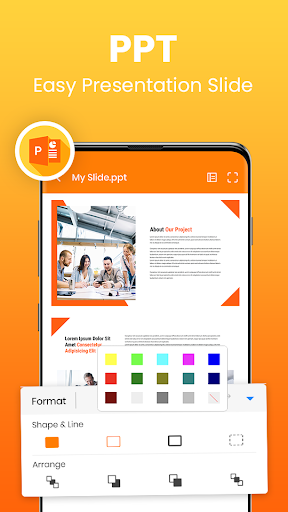
Word Office provides robust core functions for comprehensive document management. Users can create new documents, spreadsheets, and presentations from scratch or modify existing files with advanced editing tools. The app features rich text formatting options including font customization, paragraph alignment, bullet points, and style templates. For spreadsheets, it offers formula support, chart creation, and data sorting capabilities. Presentation tools include slide templates, transition effects, and animation options. The integrated PDF functionality allows for viewing, annotating, and basic editing of PDF documents. File management features enable users to organize documents in folders, search for specific files, and manage storage efficiently. Cross-platform compatibility ensures files created in Word Office can be shared and opened in other office suites without formatting issues. The application also supports printing documents directly to compatible printers and exporting files in multiple formats for sharing and distribution.
Chapter 2: Value
Word Office delivers exceptional value by providing professional-grade office tools at no cost, eliminating the need for expensive software subscriptions. Its key advantage lies in complete format compatibility with Microsoft Office, ensuring seamless workflow integration for both personal and professional use. The application offers substantial time savings through its intuitive interface that reduces learning curve and increases productivity. Users benefit from reliable performance with quick document loading and smooth editing experience even with large files. The offline capability provides uninterrupted productivity, allowing users to work anywhere without internet dependency. Security features protect sensitive documents with encryption options and secure cloud storage integration. For businesses and students, Word Office reduces operational costs while maintaining high-quality output standards. The regular updates introduce new features and improvements, ensuring the application remains current with evolving office productivity needs. Compared to similar applications, Word Office stands out through its comprehensive feature set without intrusive advertisements or hidden costs, making it a trustworthy long-term solution for mobile document processing requirements. The application's optimization for mobile devices ensures efficient battery and memory usage during extended work sessions.
Chapter 3: Scenarios
Word Office primarily serves students, professionals, and small business owners who require reliable document processing on mobile devices. Students utilize the application for taking lecture notes, writing assignments, creating presentations, and managing academic schedules through spreadsheet functions. Professionals benefit from the ability to review and edit documents during commutes, make last-minute changes to business presentations before meetings, and access important spreadsheets while away from their desks. Small business owners use Word Office for creating invoices, maintaining inventory records, developing business plans, and preparing client proposals. Administrative staff find it invaluable for document management and quick edits when away from their computers. The application is particularly useful for freelancers who need to work across multiple locations and for remote teams collaborating on shared documents. In educational settings, teachers use it to prepare lesson plans and grade student submissions. Real estate agents utilize the app for property documentation and client presentations during site visits. The accessibility features make it suitable for users with varying levels of technical expertise, from office veterans to digital newcomers needing basic document functions.