My Spectrum
Tools- Category Tools
- Size 111 MB
- Requirements Android 5 and up
- Downloads 780,000,000+
- Package Name com.brighthouse.mybhn
- Content Rating 3
About My Spectrum App Feature
My Spectrum is the official companion application for Spectrum residential customers, designed to centralize account management and service controls into a single, mobile platform. It serves as a digital hub for subscribers to manage their Spectrum services for internet, TV, and mobile, offering a seamless and efficient user experience. The app empowers customers by providing immediate access to their account details, billing information, and troubleshooting tools, effectively reducing the need for phone calls or visits to physical stores. By integrating key functionalities into a smartphone, My Spectrum enhances customer autonomy and streamlines the daily interaction with their home services, making it an essential tool for modern household management.
Chapter 1: Function
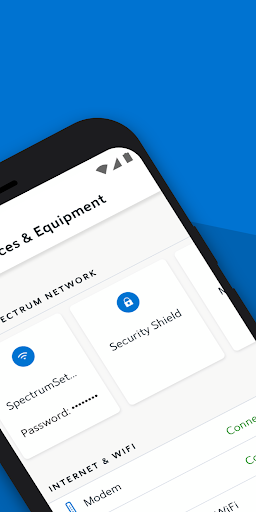
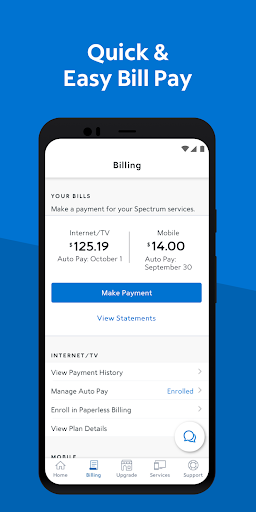
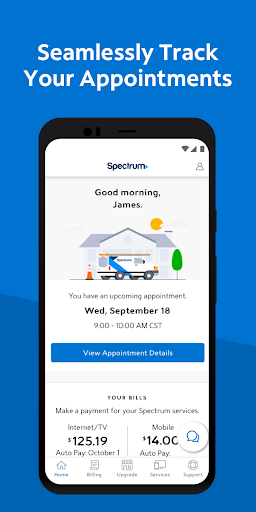
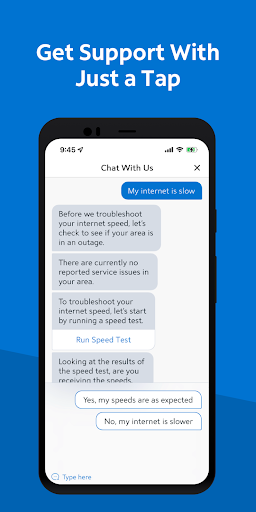
The My Spectrum app delivers a comprehensive suite of functions that put account control directly in the user's hands. Its core feature is robust account management, allowing users to view and pay their bills, monitor due dates, and review billing history with ease. For internet services, the app provides the ability to run speed tests to verify connection performance and offers guided troubleshooting for common issues like connectivity drops. A significant function for TV subscribers is the remote control feature, which turns a mobile device into a full-functional remote for their Spectrum receiver, enabling channel changing, DVR management, and program searching. Users can also manage their home Wi-Fi network directly from the app, including changing the network name and password, pausing device connectivity, and creating guest access. Furthermore, the app allows for seamless scheduling and management of service appointments, providing updates and technician details.
Chapter 2: Value
The primary value proposition of the My Spectrum app lies in its profound enhancement of customer convenience and empowerment. It eliminates traditional pain points associated with cable and internet services by providing instant, 24/7 access to account tools and support. This immediacy translates into significant time savings for users, who no longer need to wait on hold for customer service to perform simple tasks like paying a bill or checking an account balance. The integrated troubleshooting and self-help guides offer immediate resolutions for common technical problems, reducing frustration and potential service downtime. For households, the ability to manage Wi-Fi access, including pausing connectivity for specific devices, provides powerful parental controls and helps manage screen time for children. The remote control functionality adds a layer of convenience, especially when the physical remote is misplaced. Ultimately, the app fosters a proactive and self-sufficient relationship between the customer and Spectrum, increasing transparency and putting the user in command of their services, which builds long-term customer satisfaction and loyalty.
Chapter 3: Scenarios
The My Spectrum app is ideally suited for a wide range of Spectrum subscribers, but it delivers exceptional value to specific user groups. Busy professionals and heads of households find it indispensable for managing home utilities on the go, allowing them to quickly pay bills during a commute or troubleshoot internet issues before an important video call. Parents benefit greatly from the Wi-Fi management features, using the pause function to limit internet access during study hours or family dinners, thereby enforcing digital wellness rules. For frequent travelers, the app is crucial for managing home services remotely, such as checking billing cycles or ensuring scheduled payments are processed while away. Technologically savvy users who prefer self-service over calling support appreciate the immediate access to troubleshooting and account modifications. Even less tech-inclined users find value in the simplified remote control for their TV, which often features a more intuitive interface than a standard physical remote. In everyday use, a customer might use the app to change their Wi-Fi password after a guest visit, schedule a service appointment after receiving an outage alert, or use their phone as a remote to record a show they just discovered.