Southwest Airlines
Travel & Local- Category Travel & Local
- Size 52.06 MB
- Requirements Android 6 and up
- Downloads 300,000,000+
- Package Name com.southwestairlines.mobile
- Content Rating 3
About Southwest Airlines App Feature
The Southwest Airlines mobile application serves as a comprehensive travel companion, streamlining the entire journey from booking to arrival. It consolidates flight management, check-in services, and real-time travel updates into a single, user-friendly platform. Designed for efficiency and convenience, the app empowers travelers to manage their trips with ease, offering key features like mobile boarding passes, flight status notifications, and rapid rebooking options. Its intuitive interface and customer-centric tools reflect Southwest's commitment to providing a hassle-free travel experience, making it an essential tool for both frequent flyers and occasional travelers.
Chapter 1: Function
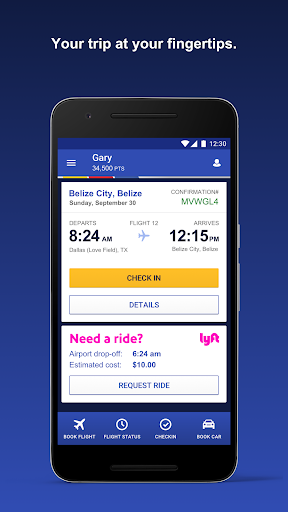
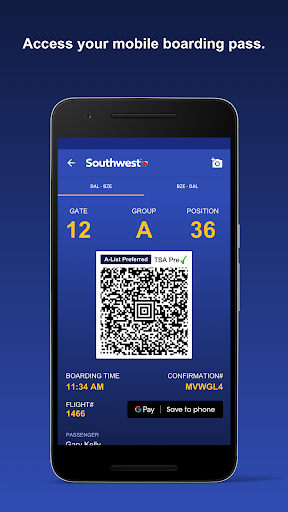
The Southwest Airlines app delivers a robust suite of core functions centered on trip management. Users can seamlessly search for and book flights, utilizing filters for dates, prices, and routes. A primary feature is the mobile check-in, which opens 24 hours before departure, allowing passengers to secure their boarding position and receive a digital boarding pass directly on their device. The app provides real-time flight status alerts for delays, gate changes, and cancellations. It also houses travel funds, Rapid Rewards points, and flight credits, enabling easy access and application during booking. Furthermore, users can modify existing reservations, view upcoming trip itineraries, and access important travel information such as terminal maps and baggage policies, all from a centralized dashboard.
Chapter 2: Value
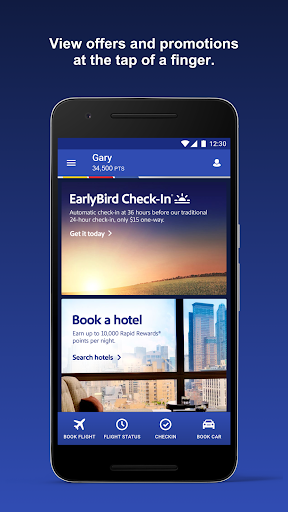
The value proposition of the Southwest Airlines app lies in its unparalleled convenience and time-saving capabilities, directly enhancing the customer experience. Its most significant advantage is the empowerment it gives travelers, putting full control of their journey in their hands. The ability to check in remotely and use a mobile boarding pass eliminates the need for printed documents and reduces time spent at airport kiosks. The real-time notification system for flight status changes provides peace of mind and helps passengers adapt to disruptions proactively. For members of the Rapid Rewards program, the app is indispensable, offering quick access to points balances, tier status, and exclusive offers. The integrated rapid rebooking function is a critical asset during irregular operations, allowing customers to quickly find and confirm alternative flights without needing to call customer service. By consolidating booking, loyalty management, and in-travel support into a single, reliable platform, the app not only simplifies travel logistics but also strengthens customer loyalty through a consistently smooth and efficient service experience.
Chapter 3: Scenarios
The primary target users for the Southwest Airlines app are frequent business travelers, leisure vacationers, and families. Business travelers benefit immensely from the app's efficiency, using it for last-minute bookings, managing tight connections with real-time gate alerts, and tracking Rapid Rewards points for future redemptions. Leisure travelers, including families and groups, use the app to check in for everyone on the reservation simultaneously, store all boarding passes in one place, and monitor flight status to coordinate airport arrival times, reducing pre-flight stress. In everyday scenarios, a user might receive a push notification about a gate change while en route to the airport, allowing them to proceed directly to the correct gate. Another common use case is a traveler needing to change plans due to a personal emergency; they can quickly rebook their flight through the app's self-service modification tools. Ultimately, the app is designed for any individual seeking a more organized, informed, and autonomous travel experience with Southwest Airlines.