XPlay Browser
Video Players & Editors- Category Video Players & Editors
- Size 38.4MB
- Requirements Android 0 and up
- Downloads 160,000,000+
- Package Name com.xsafe.browser
- Content Rating Everyone
About XPlay Browser Feature
XPlay Browser is a specialized mobile web browser designed to deliver an enhanced multimedia experience with integrated privacy protection. It distinguishes itself through robust video playback capabilities and user-centric features that streamline mobile internet usage. The application serves as a comprehensive tool for users who prioritize media consumption efficiency without compromising on security. By combining essential browsing functions with advanced media handling, it creates a seamless environment for navigating and interacting with web content. Its architecture is optimized for modern smartphones, ensuring smooth performance across various websites and digital platforms while maintaining minimal resource consumption.
Chapter 1: Function
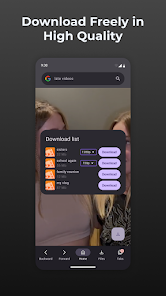
XPlay Browser delivers comprehensive web navigation with specialized multimedia enhancements. Its core functionality includes advanced video player integration supporting multiple formats and resolutions up to 4K. The browser incorporates background playback capability, allowing audio and video content to continue while using other applications or with the screen turned off. It features download management with accelerated transfer speeds and pause/resume functionality. Privacy protection is implemented through incognito mode, ad blocking filters, and tracking prevention systems. Additional utilities include data compression for reduced bandwidth consumption, bookmark synchronization across devices, and gesture-based controls for improved navigation efficiency. The interface maintains minimalist design principles while providing quick access to essential tools through customizable quick-access panels and tab management systems.
Chapter 2: Value
XPlay Browser's primary value proposition lies in transforming standard mobile browsing into a specialized multimedia platform. It eliminates common frustrations associated with mobile video consumption by providing native support for various codecs and container formats that typically require external applications. The background playback feature delivers significant practical benefits for users who consume educational content, music streams, or podcasts while multitasking. Privacy-conscious users gain substantial advantage through the integrated ad blocking and tracker prevention systems, which not only enhance security but also improve page loading speeds and reduce data usage. The download manager's accelerated transfer capability provides tangible time savings when acquiring large files. Unlike general-purpose browsers, XPlay Browser optimizes the entire user experience around media interaction, offering specialized tools like video speed control, screen locking during playback, and automatic full-screen activation. This focused approach creates distinct advantages for regular media consumers who previously needed multiple applications to achieve similar functionality. The browser's resource management system ensures these advanced features don't compromise device performance, maintaining smooth operation even on mid-range hardware. By consolidating media enhancement tools within a secure browsing environment, it delivers a cohesive solution that addresses multiple user needs simultaneously.
Chapter 3: Scenarios
XPlay Browser primarily serves mobile users who regularly engage with online video and audio content. Students constitute a key demographic, utilizing background playback for educational lectures while taking notes or researching related materials. Commuters and travelers benefit from download acceleration and offline viewing capabilities during periods of limited connectivity. Entertainment enthusiasts appreciate the enhanced video quality support and format compatibility when streaming from various platforms. Professionals working with online training materials or webinar content utilize the playback speed controls and background audio features to optimize their learning time. The browser also appeals to privacy-aware individuals who prefer built-in ad blocking without requiring additional extensions. Typical use cases include watching tutorial videos while following along with practical exercises, listening to music streams while responding to messages, downloading large presentation files during brief connectivity windows, and conducting research without intrusive advertisements disrupting concentration. The application proves particularly valuable in scenarios where users transition between active viewing and passive listening throughout their daily routines.