TV Cast
Tools- Category Tools
- Size 66.7MB
- Requirements Android 0 and up
- Downloads 50,000,000+
- Package Name com.azmobile.casttv.castforchromecast
- Content Rating Everyone
About TV Cast Feature
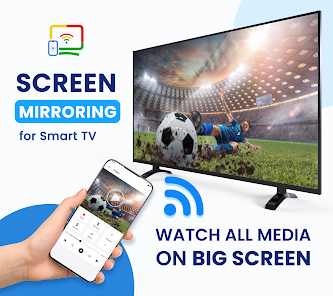
TV Cast is a mobile application designed to bridge the gap between smartphones and large screens. It enables users to seamlessly stream video content, photos, and other media files from their mobile devices directly to their televisions. This app primarily leverages Chromecast or similar built-in casting technology found in modern smart TVs and streaming devices. By converting a smartphone into a powerful remote control for the big screen, TV Cast eliminates the need for cumbersome cables or complex setup procedures. It supports a wide array of video formats and websites, offering a versatile solution for enhancing the home entertainment experience. The core principle is simplicity and wireless convenience, allowing users to enjoy their personal media and online content on a larger, more immersive display with just a few taps.
Chapter 1: Function
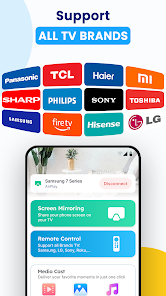
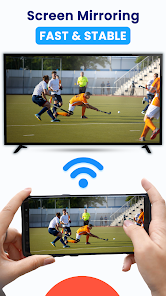
TV Cast operates by establishing a wireless connection between a user's mobile device and their television, typically via the same Wi-Fi network. Its core function is to transmit media from the phone to the TV screen. Upon launching the app, it automatically discovers compatible casting devices on the network, such as Chromecast, Android TV, or smart TVs with built-in support. Users can then cast videos directly from their phone's local storage or from a built-in browser. The app includes a video player that can access and play files from the device's gallery, supporting various formats like MP4, AVI, and MKV. Furthermore, its integrated web browser allows users to navigate to online video sites; when a video is played on a supported site, a cast button appears, enabling instant streaming to the TV. The mobile device effectively becomes a remote, allowing users to play, pause, seek, and control volume, all while the video plays uninterrupted on the television.
Chapter 2: Value
The primary value proposition of TV Cast lies in its ability to democratize the big-screen experience, transforming any television into a smart display for personal and online media. Its key advantage is unparalleled convenience, removing the physical limitations of HDMI cables and the need to transfer files to a USB drive. This wireless approach offers significant flexibility, allowing users to control playback from anywhere within their home network. Another major value is its broad format and website compatibility, which often surpasses the native media players of many smart TVs, reducing compatibility headaches. For families and groups, it enhances shared viewing experiences, making it easy to showcase vacation photos, home videos, or favorite online clips on a large display. It also adds smart functionality to older or less capable TVs when used with a low-cost dongle like Chromecast. The app provides a unified, user-friendly interface for casting from multiple sources, whether local files or the web, simplifying what could otherwise be a fragmented process. This consolidation of functionality into a single, intuitive application saves time and reduces technical friction, delivering immediate value by maximizing the utility of both the mobile device and the television set.
Chapter 3: Scenarios
TV Cast is ideally suited for a wide range of users and everyday situations. The primary target users are individuals and families who consume a significant amount of digital media and seek a more comfortable and social viewing experience. A common scenario is family gatherings, where parents can cast children's favorite cartoons or family videos from their phone to the living room TV for everyone to enjoy together. For young adults and students living in shared apartments, it is perfect for movie nights, allowing anyone in the group to easily queue up and cast content from popular streaming websites to a common television. Travelers and business professionals also benefit; after recording videos or downloading content on their phone, they can instantly play it back on a hotel room's smart TV without any cables. Furthermore, it serves as a practical tool for informal presentations, enabling users to display photos or short video demos from their phone directly onto a larger screen in a meeting room or classroom. In essence, any situation that calls for shifting content from a small, personal screen to a large, shared one is an ideal use case for TV Cast.